Description
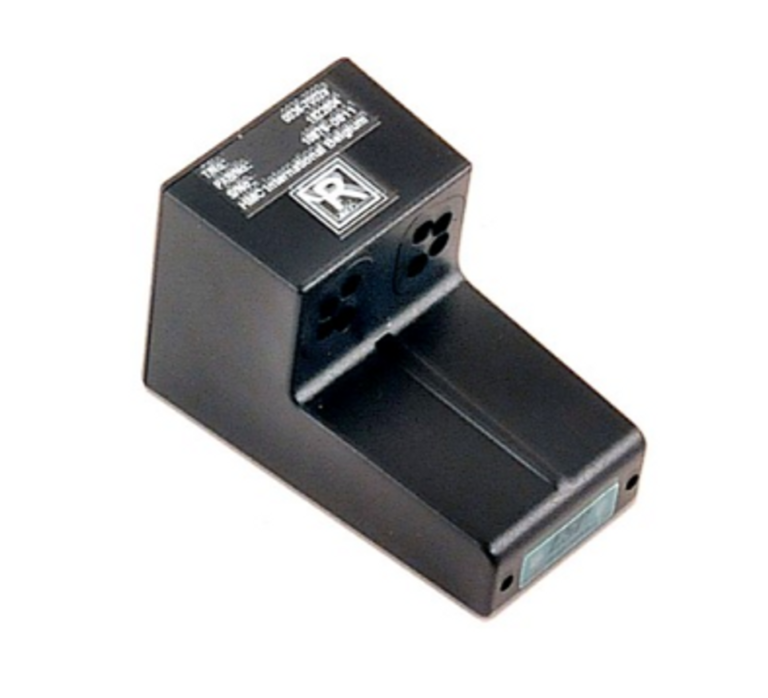
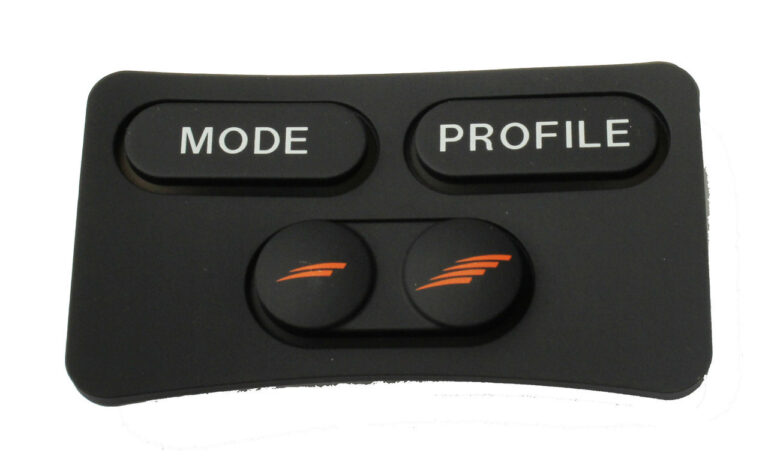
The JSM/CJSM Rear Keypad is a compact 4-button input device designed to provide a simple and practical way to interact with electronic systems. Whether you need physical controls for industrial equipment, machine interfaces, embedded electronics, or security applications, this keypad provides four individual inputs that you can connect to a compatible controller.
Modern electronic equipment often needs a straightforward interface that allows users to send commands without adding unnecessary complexity. A small keypad can provide exactly that. The four buttons give users direct access to programmed functions such as navigation, selection, confirmation, or other control operations.
Each button works as a momentary switch. When you press a button, it sends an electrical signal to the connected controller. The controller then interprets that signal and performs the corresponding programmed action.
The four-button layout keeps the interface compact while providing enough inputs for common control tasks. You can assign each button to a different function, depending on the programming of the connected system.
For example, you can configure the buttons for:
- Menu navigation
- Directional movement
- Selection
- Confirmation
- Machine commands
- System control
- Function activation
- User input
The exact button functions depend on the controller and software used with the keypad. This gives you the flexibility to create an interface that matches the requirements of your equipment.
A four-button configuration can also make an interface easier to understand. Instead of presenting users with numerous switches, you can assign only the controls they need for a particular task.
For equipment with limited space, the compact design can help you maintain an organized control layout while still providing physical access to important functions.
The JSM/CJSM Rear Keypad uses momentary switches to generate input signals. Each button remains in its normal state until you press it.
When you press a button, the switch temporarily changes its electrical state and sends a signal through the keypad connection. The connected controller detects the signal and determines which action it should perform.
The controller may be a microcontroller, PLC, or another electronic control unit capable of processing the keypad’s inputs.
The basic process works like this:
- You press one of the four buttons.
- The button operates as a momentary switch.
- The switch sends an electrical signal.
- The connected controller detects the signal.
- The controller identifies the corresponding input.
- The programmed function is executed.
- The button returns to its normal state after you release it.
This straightforward operating principle allows you to use the keypad for many different types of electronic control.
Because the controller handles the actual command processing, you can program the buttons according to the requirements of your particular application.
Industrial equipment often requires physical controls that operators can access quickly. The JSM/CJSM Rear Keypad can serve as part of a machine control interface, providing four dedicated inputs for different commands.
You can connect the keypad to a PLC or compatible industrial controller and assign functions to individual buttons.
Depending on the machine, you might use the buttons for:
- Start or stop commands
- Menu navigation
- Machine mode selection
- Parameter adjustment
- Command confirmation
- Equipment settings
- Manual control
- System reset functions
A compact keypad can help you organize these controls without filling the entire control panel with individual switches.
You can also configure the buttons to suit the workflow of the machine. For example, one button can move through available options while another confirms the selected function.
The final behavior depends on the programming and control architecture of the connected equipment.
Navigation and Selection Keypad
Four physical buttons can provide a useful interface for systems that require simple navigation. You can configure the buttons to move through menus, select options, or control specific functions.
A common arrangement uses directional commands, such as:
You can also assign one or more buttons to selection or confirmation functions, depending on how your system handles user input.
For embedded devices with menus or configuration screens, physical navigation buttons can give users a familiar way to interact with the equipment.
The connected controller determines what each button does. This means you can adapt the keypad to different menu structures and system functions without changing the basic hardware.
This flexibility makes the keypad useful for control interfaces where users need a small number of clearly defined physical commands.
Embedded System Keypad for Custom Electronics
The JSM/CJSM Rear Keypad can also work as an input interface for embedded electronic systems. If your device uses a microcontroller or another programmable controller, you can connect the four button inputs to the appropriate control circuitry.
The controller can monitor the buttons and respond when the user presses one.
Embedded applications may include:
- Device configuration
- Menu navigation
- System settings
- Function selection
- Parameter adjustment
- Diagnostic controls
- User commands
- Mode selection
For example, you can use two buttons to move through menu options and the remaining buttons to select or confirm an operation. Alternatively, you can assign all four buttons to completely different functions.
The programming of the connected system determines how the keypad responds, giving developers considerable flexibility when creating custom interfaces.
you may also like some of our products:
Momentary Switches for Responsive Input
Each button on the JSM/CJSM Rear Keypad functions as a momentary switch. The switch activates when you press the button and returns to its normal state when you release it.
This type of input works well for systems that need direct command signals rather than buttons that remain electrically active after you release them.
When you press a button, the controller can detect the change and execute the corresponding command.
For example, a single press could:
- Move to the next menu option
- Select a setting
- Activate a machine function
- Change an operating mode
- Confirm a command
- Trigger another programmed action
The controller determines the final behavior, so you can configure the input logic to suit your equipment.
The simple nature of momentary switching also makes the keypad easy to incorporate into many custom electronic control designs. visit the official Permobil makers site
Flexible 3.3V, 5V, and 12V Applications
The JSM/CJSM Rear Keypad supports systems operating at 3.3V, 5V, or 12V, depending on the system configuration.
This range allows you to consider the keypad for different electronic environments, including lower-voltage embedded systems and compatible industrial control equipment.
Before connecting the keypad, you should verify the electrical requirements of your complete system. The keypad, controller, wiring, and other connected components must work together within the appropriate voltage and current requirements.
Each button has a current requirement of less than 100mA.
You should always confirm voltage compatibility and connection requirements before installation rather than assuming that a particular configuration will work with every controller.
Direct Wiring and Ribbon Cable Interface
You can integrate the JSM/CJSM Rear Keypad using direct wiring or a ribbon cable, depending on your equipment’s design.
Direct wiring can work well for custom installations where you need to route individual button signals directly to a controller.
A ribbon cable can provide a more organized connection when multiple button signals need to travel together. This can be especially useful inside compact electronic assemblies or control equipment.
The appropriate interface depends on the design of your system, the available connections, and the way you plan to route the keypad signals.
Before installation, verify the connection arrangement and make sure it matches the requirements of the controller.
Benefits of the JSM/CJSM Rear Keypad
The JSM/CJSM Rear Keypad offers several practical advantages when you need a compact physical input interface.
Compact 4-Button Design
Four buttons provide a simple control arrangement without taking up the space required by a larger keypad.
Customizable Button Functions
You can assign different commands to each button through the connected controller, allowing the keypad to support navigation, selection, and equipment control.
Direct Physical Input
The momentary switches provide a straightforward way for users to send commands to an electronic system.
Flexible Application Options
You can use the keypad with industrial equipment, embedded devices, machine interfaces, and other compatible control systems.
Multiple Connection Methods
Direct wiring and ribbon cable connections give you flexibility when integrating the keypad into different equipment designs.
Support for Multiple System Voltages
Depending on your system configuration, you can use the keypad with 3.3V, 5V, or 12V applications.
JSM/CJSM Rear Keypad Specifications
Product Name: JSM/CJSM Rear Keypad
Number of Buttons: 4
Switch Type: Momentary switches
Voltage: 3.3V, 5V, or 12V, depending on system configuration
Current: Less than 100mA per button
Interface: Direct wiring or ribbon cable
Controller Compatibility: Microcontrollers, PLCs, and compatible electronic control systems
Primary Applications: Industrial control, machine interfaces, security systems, embedded electronics, navigation, and command operations
Security and Access Control Applications
The keypad can also provide physical input for security and access-related equipment.
You can connect the four buttons to a compatible security controller and assign functions according to the requirements of the system. These may include navigation, selection, confirmation, or other control commands.
For example, users may interact with a security system through a simple menu structure, using the keypad to move between options and select the required function.
The connected controller handles the processing of the input, allowing the system designer to determine what happens when a particular button is pressed.
This makes the keypad suitable for custom security interfaces where a small number of physical controls are sufficient.
Installation Considerations
Before installing the JSM/CJSM Rear Keypad, review the electrical requirements of your complete system.
Make sure the controller can detect the keypad’s momentary switch signals and confirm that the selected voltage configuration matches the system requirements.
You should also verify the connection method before installation. Depending on your equipment, you can use direct wiring or a ribbon cable.
During integration, check:
- Button connections
- Operating voltage
- Current requirements
- Controller compatibility
- Cable connections
- Input assignments
- System programming
After installation, test each button individually. Confirm that the controller recognizes every input and performs the intended action.
Proper configuration helps ensure that the keypad works correctly within the complete control system.
Why Choose the JSM/CJSM Rear Keypad?
A compact keypad can provide an effective solution when your equipment needs only a few physical controls. The JSM/CJSM Rear Keypad gives you four individual button inputs that you can configure according to the requirements of your system.
Its momentary switch design provides direct user input, while a connected controller handles command processing. This makes the keypad suitable for industrial machines, embedded devices, security equipment, and other electronic systems.
The simple four-button layout can also make controls easier for users to understand. You can assign each button a clear purpose and build the interface around the functions your equipment actually needs.
A Practical 4-Button Electronic Control Interface
The JSM/CJSM Rear Keypad provides a simple and flexible way to add physical controls to compatible electronic systems. Its four momentary switches can support navigation, selection, command input, and machine control.
You can connect the keypad to a microcontroller, PLC, or another suitable controller and program each button for the function your application requires.
With support for 3.3V, 5V, or 12V system configurations, less than 100mA current per button, and direct wiring or ribbon cable connection options, the keypad can fit into a range of electronic control designs.
Whether you are developing an industrial machine interface, embedded device, security system, or custom control panel, the JSM/CJSM Rear Keypad offers a compact 4-button solution for straightforward and dependable user input.












Reviews
There are no reviews yet.